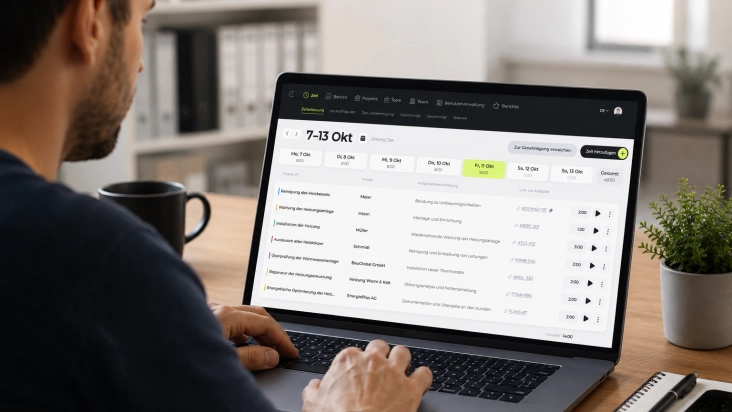
Sound familiar? You introduce time tracking — and suddenly the questions start coming. Developers want to know whether it will now be logged when they start in the morning. Designers wish someone would just trust them. And the tech lead quietly explains that the team finds the whole thing a bit like surveillance.
All you wanted was to meet a legal requirement. Instead, you now have a trust issue on your hands.
This isn’t an isolated case — it’s the most common reason well-intentioned time tracking rollouts fail. Not because of the software, but because of perception.
Why Time Tracking Feels Like Control — Even When It Isn’t
The association makes sense. Time tracking historically comes from a world where punch clocks hung at factory entrances — who shows up, who leaves, who’s late. But that’s no longer the reality of modern knowledge work, and certainly not for remote teams building products across time zones.
The problem: many time tracking tools still look like they come from that old world. Rigid input forms, mandatory minute-by-minute fields, reports that feel like control at the push of a button.
The real problem isn’t that time is tracked — it’s who sees what and what the data is used for.
The Difference Between Transparency and Surveillance
Transparency means: the team knows what it’s working on. Project leads can see how budget and time are distributed. Bottlenecks become visible early — not when it’s already too late.
Surveillance means: someone checks whether you started work at 9:03 or 9:07. These two things have nothing to do with each other — but without clear rules, they blur together in people’s minds, and that costs trust.
The solution comes down to three things:
Clear rules about who sees which data
A tool that technically enforces those rules
Open communication about what the data is actually used for
How Fritto Handles Access Rights — and Why It Makes a Difference
In Fritto, you decide who sees what. Not as an afterthought buried deep in the admin menu, but as a core principle.
A developer sees their own hours — they can log, correct, and submit them. They do not see what a colleague booked on which project last week, unless you decide they should.
A project manager sees their team’s hours, aggregated by project. No minute-by-minute log of who did what and when — just the relevant question: how many hours went into which project, and are we within budget?
Management sees team-wide reports. An overview — not granular control.
Employee → sees: their own hours
Project lead → sees: team hours per project
Management → sees: team-wide reports
Nobody sees → exactly when someone opened their laptop in the morning
That’s not an accident, but a deliberate decision you make once in Fritto — and from that point on, it’s technically enforced.
Time Tracking as a Tool for the Team — Not Against It
The best thing time tracking can do for a product team isn’t compliance. It’s clarity — about why the feature that “should be quick” always ends up taking three days. About which project is actually keeping the team busy and which one only costs five hours a month but takes up far more mental space. Clarity for retrospectives, budget conversations, and decisions about what to prioritize next.
Time tracking isn’t a control tool. It’s a mirror for the team — one that shows where time is really going.
Summary
Time tracking doesn’t have to be a trust issue, as long as it’s clear from the start who sees what and why. With the right access controls, what could be a point of conflict becomes a quiet tool that simply works — for the team and for you.